We’re excited to announce a powerful new addition to Hive Autolinker that will help you identify content optimization opportunities you might be missing.
What’s New
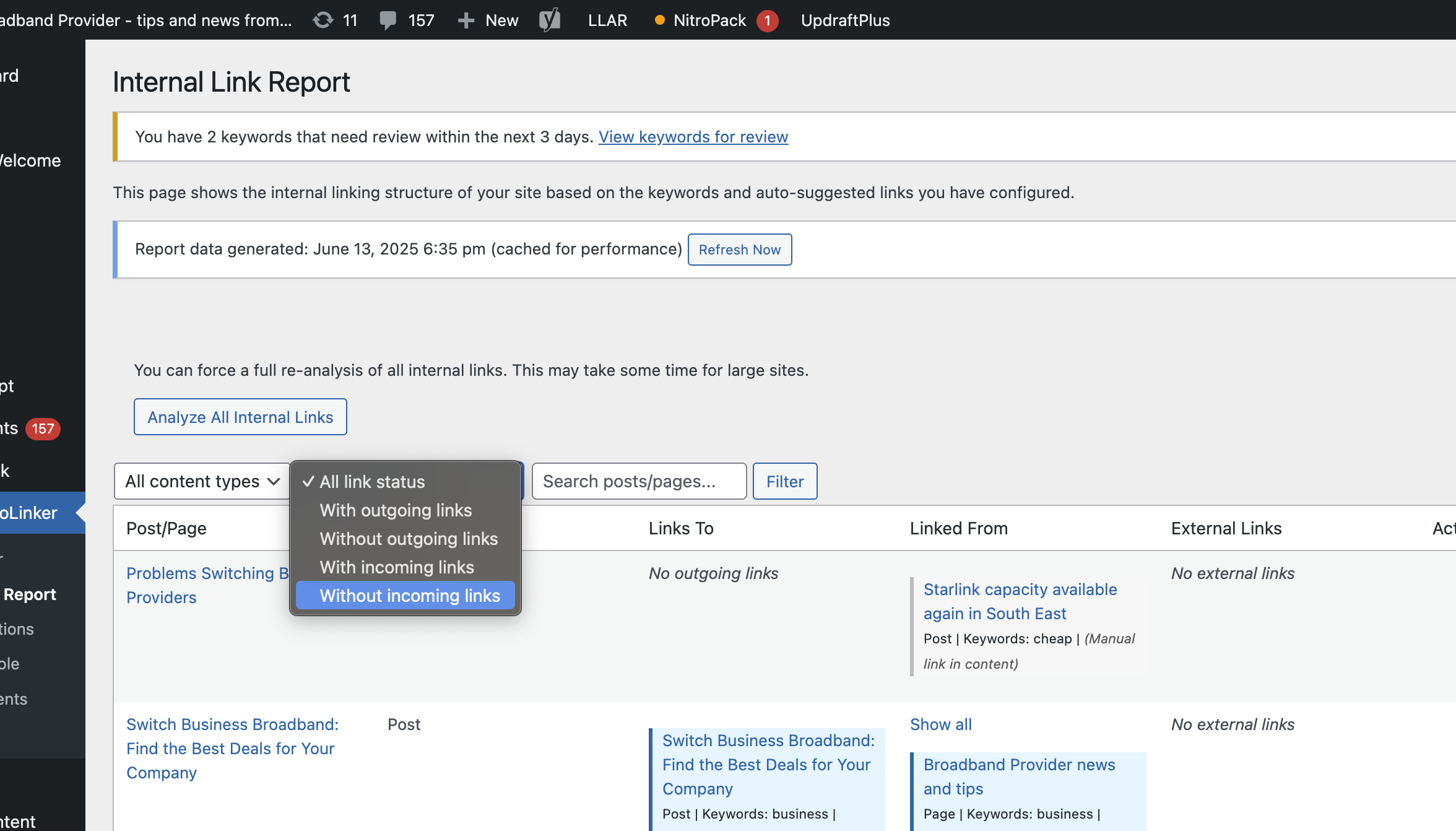
You can now filter your internal link report to show only posts and pages that currently have zero internal links pointing to them. This means you can instantly spot your “orphaned” content that’s not getting the internal link love it deserves.
Why This Matters
Internal links are crucial for SEO and user experience, but it’s easy to accidentally leave valuable content without any internal links pointing to it. These orphaned pages often:
- Miss out on link equity distribution
- Get less organic traffic than they could
- Are harder for users to discover
- May not rank as well as they should
How It Works
Simply head to your internal link report and use the new filter option to view only content with zero incoming internal links. You’ll get a clean, focused view of exactly which posts and pages need attention.
What You Can Do Next
Once you’ve identified your orphaned content, you can:
- Find relevant existing content to link from
- Add contextual internal links to boost page authority
- Improve your site’s overall link architecture
- Help users discover more of your valuable content
This feature is available now for all Hive Autolinker users. Log in to your dashboard and start optimizing your internal link strategy today!
Have questions about this new feature? Reach out to our support team – we’re here to help you make the most of your internal linking strategy.